Systems | Development | Analytics | API | Testing

From session replay to development plan: annotations in full stack session recordings

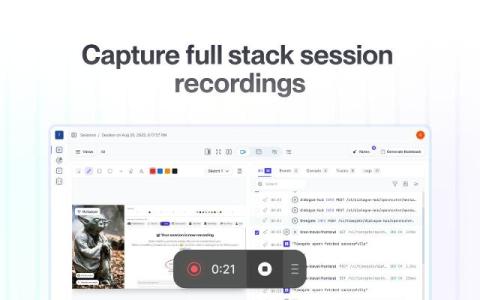
Add sketches, notes, and requirements directly to your full stack session recordings. Highlight interactions, API calls, or traces and turn them into actionable development plans or AI prompts. Traditional session replay tools give you a window into what the user saw. A few let you blur sensitive data or leave a quick sketch. Some rely on third-party integrations to manage annotations at all.

Don't lose the trace that matters: Multiplayer's zero-sampling approach

Multiplayer is the only session recorder that combines frontend replays with unsampled backend traces, stitched together automatically. You don’t have to choose between drowning in noise or missing the critical data. Backend tracing is the backbone of understanding how modern distributed systems behave. Each request generates a chain of spans as it travels through your services and components: what happened, how long it took, and whether it failed.

Unlocking AI: Auto-Documentation & Debugging for Distributed Systems

AI is everywhere. Depending on who you ask, it’s either making developers obsolete, or it’s just hype. But for those of us who’ve actually used AI tools in real-world engineering workflows, especially in complex distributed systems, the truth lies somewhere in between. At Multiplayer, we’ve spent the past few years exploring how AI can—and can’t—help solve two of the most persistent challenges in distributed systems: documentation and debugging.

No More Whiteboards: Multiplayer Auto-Generates Architecture Diagrams

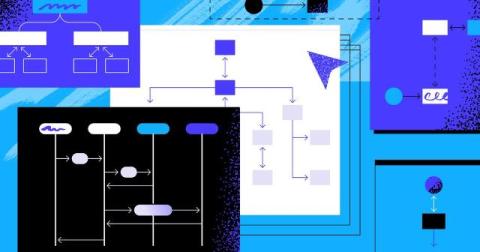
Multiplayer just made system architecture diagrams effortless—with auto-generated diagrams, CSV imports, and smart layouts. Say goodbye to whiteboards and hello to real-time, accurate visibility. If you’ve ever wasted hours dragging boxes around in Lucidchart or updating outdated diagram images in Confluence, we hear you. Visualizing your system shouldn’t feel like a second job—it should be part of your workflow.

Your Software Changes in Real-Time, So Should Your Architecture Diagrams

The evolution of diagramming in software mirrors the evolution of software development: from static and planned upfront → to lightweight and iterative → to automated and real-time. The 1968 “Mother of All Demos” by Douglas Engelbart wasn’t just a showcase of new technology—it was a glimpse into the future of how we interact with and visualize complex information, including software systems.

The Four Kinds of Software Architecture Diagramming Tools

Software architecture diagrams are essential for communicating complexity. A well-structured diagram helps engineering teams visualize system design, align on technical decisions, and plan future development while proactively identifying potential issues. With so many architecture diagramming tools available, choosing the right one depends on why you need the diagram in the first place.