In this video, we’ll cover async and await, real syntax examples, and the biggest mistakes developers still make. Not just theory — real examples built and tested in Xcode.
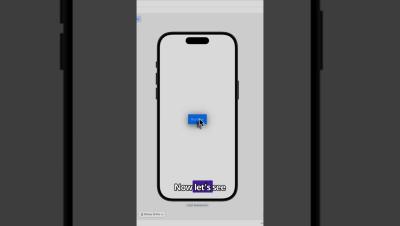
Learn how to animate a SwiftUI button using just withAnimation, scaleEffect, and shadow. We make the button shrink slightly on tap, then bounce back with a smooth spring animation — no extra frameworks, just native SwiftUI.
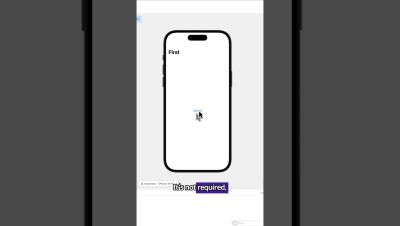
Learn how to navigate between views in SwiftUI using NavigationStack and NavigationLink. In this quick demo, we’ll build a button that opens a second screen — clean, modern, and ready for any iOS app. Bugfender helps developers fix bugs faster with real-time app logging.
Learn how to make buttons SwiftUI (2025) in this complete tutorial covering styles, navigation, animations, and more. We’ll go step by step through how to add a button in SwiftUI, create custom button styles, and build real examples like navigation buttons, share buttons, and animated tap effects.
Swift extensions are one of the most useful tools in iOS development, allowing us to add new functionality to existing types without subclassing or rewriting code. In this guide, we’ll break down how extensions work, why they matter, and how to use them effectively. You’ll learn: By the end, you’ll know how to use extensions to write cleaner, faster, and more maintainable Swift code.
SwiftUI Buttons aren’t just text you tap — they have 5 powerful components: action, label, styling, role, and interactivity. In this short video, you’ll learn how each one works so you can build cleaner, more interactive apps.
At the 2025 instalment of its WWDC event, Apple set out its long-term vision for how we think about platform strategy, AI integration and multi-device architecture. If you’re a CTO, staff engineer, or mobile lead, this wasn’t just a conference to watch, it was one to plan your entire roadmap around. What Apple revealed at this year’s WWDS will affect everything from your frontend stack to how your systems talk to hardware.
Concurrency is the ability of an app to perform multiple tasks at once, and it’s a crucial concept for apps that need to perform multiple tasks at once in an efficient, usable way. Thankfully Swift has made great strides with concurrency, and now provides simple tools for writing robust apps that are responsive and enjoyable to use. In this article we’ll explore two main ways of using threads for concurrency models.
Navigation is one of the most basic functionalities of any app, and among the most crucial aspects of our work as developers. From replacing a login screen with our actual logged-in state app, to showing a modal with details of any item inside our app, all of these are navigational challenges we need to tackle in our day-to-day. SwiftUI has introduced a modern approach to navigation in Apple-based platforms.
Animations make our apps seem more alive, approachable and interactive, and they add that extra level of polish, which is crucial in an age of ever-greater consumer choice. One of the great things about Swift is that it provides a range of animation functionality straight out of the box. In this post, we’ll explore some of this functionality and demonstrate some popular techniques for SwiftUI animations, so you can use them on your own projects.