


















Barcelona, Spain
2014
  |  By Aleix Ventayol
JavaScript breakpoint is a pause point in code execution. Breakpoints are one of the most crucial tools available to us when debugging. Simply put, they enable us to pause our program in real time and inspect a particular chunk of code. We may have suspicions that a particular line is causing our app to crash, or simply want to check part of the call stack. Breakpoints give us this flexibility.
  |  By Aleix Ventayol
Choosing between Android and iOS programming shapes literally every aspect of your programming life. The way you build. The costs you face. The complexity of your testing, the strategy of your distribution and the long-term scalability of your project. Both platforms are mature and capable of supporting complex, high-performance applications, but there are trade-offs.
  |  By Aleix Ventayol
Breakpoints are one of the most useful tools we can call on when we’re debugging applications. If you’re not familiar, they allow us to pause execution and examine what the program is doing at that moment. And Android Studio offers a whole bunch of add-ons to supplement its core functionality. In this guide, we’ll show you how Android Studio breakpoints work and how you can maximize their potential in your day-to-day work.
  |  By Aleix Ventayol
Breakpoints are useful for all kinds of debugging. But for iOS debugging, they’re critical. iOS often veers away from the typical top-to-bottom flow. At the same time, its heavy reliance on async/await can inadvertently lead to concurrency and race conditions. As devs, we need a way to stop the train before it goes too far in the wrong direction. This is what Xcode breakpoints are designed for.
  |  By Ashutosh Makwana
Choosing the wrong date-time API can seriously snarl up your Kotlin app. Timezone mismatches, formatting bugs, inconsistent timestamps – all of them can seriously drain your time and they’re hard to trace without the right tooling. Kotlin gives you multiple date-time tools – LocalDate, Instant, DateTimeFormatter, and kotlinx-datetime – but each is designed for a specific use case across Android, server-side, and multiplatform projects.
  |  By Aleix Ventayol
Imagine you’re mechanic trying to fix a car. There’s this magic piece of kit that allows you to pause the engine and see inside every moving part. You can tweak parts live, test changes instantly and measure which parts are slowing the whole thing down. This is JavaScript debugging in Chrome. Using Chrome DevTools, you can pause execution, inspect variables and scope, and follow code as it runs. So you can see what the code is actually doing at runtime, without assumptions.
  |  By Aleix Ventayol
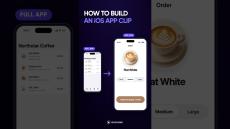
App Clips are one of the most under-appreciated parts of the iOS universe. Introduced with iOS 14 back in 2020, they allow users to sample the best features of an app without having to download it in full. Users explore the Apple ecosystem. Developers broaden their audience. Win-win, right? Well, bizarrely few devs are actually using App Clips right now. A lot of folks think they’re going to be overly complex and full of friction.
  |  By Anupam Singh
If we want our apps to succeed, we have to get our buttons spot on. They allow our users to navigate around our apps, show their preferences and define their own personal user journeys. Not only that, they play a crucial role in the overall look and feel of our apps, and enhance our overall brand image if we get them right.
  |  By Aleix Ventayol
The SwiftUI vs UIKit question may seem like a sticky web of pros, cons and competing nuances. But ultimately, it boils down to one thing: Which framework is best for my specific app? The answer shouldn’t be based on hype or trends. It should be based on your own real-world parameters, like team size, UI complexity and long-term maintenance. Understanding your own development realities is crucial to making the right choice between SwiftUI and UIKit.
  |  By Aleix Ventayol
It goes without saying that crash debugging is crucial. For app quality, for App Store ratings, for compliance with Apple’s ecosystem. And if you’re new to the concept of debugging (or you simply want to top up your knowledge) this guide will give you a complete toolkit of tips and instructions. We’ll explain the most common iOS crash debugging scenarios and show you how to diagnose and fix them quickly.
  |  By Bugfender
JavaScript dates look simple until they’re not. Here’s the second way to create a date: pass the components manually. Year, month, day, hour, minute—each as a separate number. And anything you skip defaults to zero. So you can write just the year, month, and day like this……but there’s a catch coming.
  |  By Bugfender
Learn how to use the JavaScript Date object, format dates correctly, handle timezones, and avoid common bugs with the Date and Time API. This 2025 guide covers parsing, formatting, new date formats, and everything developers need to work reliably with date and time in JavaScript. If you’ve ever seen a date shift by one day, hours changing unexpectedly, or confusing “Invalid Date” errors… this tutorial will finally make it all make sense.
  |  By Bugfender
Learn how to get the current date and time in JavaScript using the new Date() constructor. Quick tip for beginners and developers who want clean, reliable time data.
  |  By Bugfender
Every JavaScript Date object starts at one moment: the Unix Epoch. Here’s how JavaScript handles date and time, timestamps, and milliseconds.
  |  By Bugfender
When should you actually use async and await in Swift? Waiting for external data (like APIs or images) Long-running tasks (saving, processing, or calculations) Learn how to use them without freezing your app again.
  |  By Bugfender
Async runs long tasks in the background. Await pauses just one line until the result’s ready. Here’s the cleanest way to understand Swift’s async/await in under a minute — with real examples.
  |  By Bugfender
Ever tapped a button and your Swift app just froze? That’s what happens when your code runs synchronously. In this short, we break down what async and await actually solve — and why they keep your UI smooth and responsive.
  |  By Bugfender
In this video, we’ll cover async and await, real syntax examples, and the biggest mistakes developers still make. Not just theory — real examples built and tested in Xcode.
  |  By Bugfender
Learn how to animate a SwiftUI button using just withAnimation, scaleEffect, and shadow. We make the button shrink slightly on tap, then bounce back with a smooth spring animation — no extra frameworks, just native SwiftUI.
  |  By Bugfender
Learn how to navigate between views in SwiftUI using NavigationStack and NavigationLink. In this quick demo, we’ll build a button that opens a second screen — clean, modern, and ready for any iOS app. Bugfender helps developers fix bugs faster with real-time app logging.
  |  By Bugfender
Our free ebook is a practical guide to bug solving. Besides the obvious testing phase in software engineering, there are many other strategies you can follow to increase the effectiveness and reduce the cost of your Quality Assurance phase, we'll focus on those.
  |  By Bugfender
Bugfender grants you fast remote access to your applications' log files on users' devices - wherever they are in the world. Bugfender logs virtually everything, going beyond simple app crashes. It even logs when the device is offline.

Bugfender is a modern remote logger tailor-made for mobile development.

Most developers debug their apps by looking at the logs generated by their application. Usually this means connecting the mobile device with a debugging cable and looking into NSLogs or logcat.

Bugfender is a cloud storage service with an easy to use SDK that lets developers send their application logs for later use. Works for early development phases, beta testing and production applications. Bugfender unlocks the possibility to detect errors earlier, assist better users who contact your customer support and ultimately achieve an excellent customer satisfaction.

Bugfender represents a new opportunity, log collection services have existed for years on the back-end and network monitoring industry but never applied yet to mobile devices.