Systems | Development | Analytics | API | Testing

Meet Bugfender: Debug Apps With Real User Context #aicoding #iosdev #aidevelopment #aidebugging

Trusted by more than 35,000 apps, Bugfender helps developers understand bugs on real users’ devices, even without a crash. Collect logs, errors, device details and feedback with the SDK, then connect an AI agent through MCP to investigate the evidence.

What Is Bugfender? Find and Fix Bugs on Real User Devices

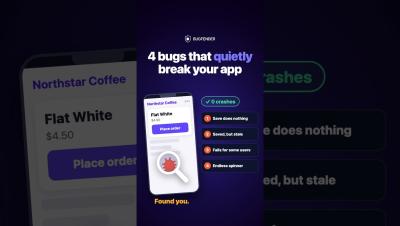
Bugs don’t always cause a crash, and they can be difficult to reproduce on your own device. Bugfender helps development teams investigate app issues with remote logs, error monitoring, crash reports, and user feedback in one dashboard. Add the Bugfender SDK to supported mobile and frontend apps to collect logs from real devices, including while a device is offline. Review device context and investigate issues that traditional crash reporting may miss.

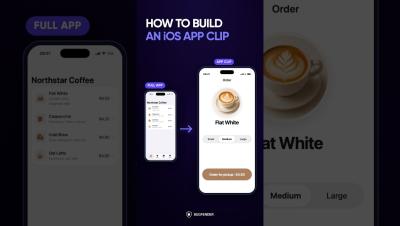
What Are iOS App Clips? How They Work for iPhone Apps #iOSDevelopment #AppClips

What are iOS App Clips? They are lightweight versions of an iPhone app built for one specific action, such as ordering, paying, or booking. Users can open an App Clip from a link, QR code, NFC tag, Maps, or Messages. They can complete one useful action without searching the App Store, installing the full app, or going through a long signup and onboarding flow. App Clips reduce friction and give people a quick way to try an iOS product before downloading the complete app.

How to Use ChatGPT Codex in Terminal to Build Your First Tool #aicoding #iosdev #aidevelopment

You don’t need a big app idea to try Codex. A messy Downloads folder is enough. In this beginner walkthrough, you’ll ask ChatGPT to write a prompt in plain language, then paste it into Codex in Terminal to build a simple file organizer. You’ll see how to: The file names and folder contents shown are fictional examples. Your first version doesn’t have to be perfect; you can improve it with follow-up prompts.

How to Use ChatGPT Codex on Mac for the First Time #shorts #aicoding #aidevelopment #iosdev

Never used Codex before? This beginner tutorial shows how to start using OpenAI Codex on a Mac, step by step, after it is installed. What you'll do: Commands from the video (replace the path with the one you copied; your folder path will be different): cd /Users/yourname/Desktop/codex-practice codex First prompt: Create a text file named hello.txt with the words "My first Codex file." Tell me where you saved it.

JavaScript Date(): How to Build a Date from Components #javascript #webdevelopment #jstutorial

JavaScript dates look simple until they’re not. Here’s the second way to create a date: pass the components manually. Year, month, day, hour, minute—each as a separate number. And anything you skip defaults to zero. So you can write just the year, month, and day like this……but there’s a catch coming.

JavaScript Date & Time Explained: Format, Parse & Use the Date Object (2025 Guide)

Learn how to use the JavaScript Date object, format dates correctly, handle timezones, and avoid common bugs with the Date and Time API. This 2025 guide covers parsing, formatting, new date formats, and everything developers need to work reliably with date and time in JavaScript. If you’ve ever seen a date shift by one day, hours changing unexpectedly, or confusing “Invalid Date” errors… this tutorial will finally make it all make sense.