Systems | Development | Analytics | API | Testing

Designing Your Virtual Test Team

As organizations explore more advanced uses of agentic testing, a compelling vision emerges: a modular virtual test team composed of AI agents, each playing a focused role like Test Architect, Test Designer, Executor, and Summary Agent. While still early in real-world adoption, this model offers a way to coordinate intelligence at scale, with humans guiding the system and autonomy granted based on task risk and maturity.

Augmenting Coverage; Not Just Speed

Agentic testing isn’t just about faster execution - it’s about uncovering what’s missing from your test suite. This blog explores a forward-looking model where AI agents help identify gaps in traditional, deterministic systems through techniques like scenario delta detection, data condition surfacing, edge path exploration, and test case obsolescence tracking.

Get current URL in Selenium using Python: A complete tutorial

When working with web automation in Python, knowing how to get the current URL is essential. It helps you confirm where the browser is, catch unexpected redirects, and make sure your test steps behave as expected. The command driver.get("url") is what takes you to a page. But after that, how do you check if you're on the right one? That’s where driver.current_url comes in.

How to use the clear() method in Selenium WebDriver with Python?

When writing automated tests with Selenium WebDriver and Python, one common task is dealing with input fields that already contain text. Whether you're working with a login form, a search bar, or a multi-step checkout flow, starting with a clean field helps ensure consistency every time your test runs. The clear() method in Selenium offers a direct way to remove any existing text inside a form field before you input new data.

From Scripts to Scenarios - How AI Understands What to Test

Traditional test scripts are too brittle for today’s fast-moving, complex systems. AI-powered agents enable a shift to scenario-based testing - high-level, reusable flows that describe user intent and behavior. Agents can help extract, generate, and evolve these scenarios, while humans guide relevance, risk, and validation. This approach improves stability, cross-platform coverage, and business alignment.

Why AI-native Testing Redefines Quality? Next Steps for QA Leaders

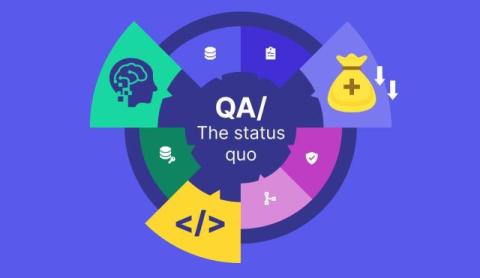
When you think about test automation, what image comes to mind? For many QA leaders, automation still means running the same scripts every night, chasing down false-positives, and fighting maintenance debt. That model served us well for a while, but it was always limited: automation only runs what humans script. The next era is about AI-powered testing. AI-powered testing doesn’t just execute predefined tasks; it generates coverage dynamically, adapting as your application evolves.

How to refresh a page in Selenium WebDriver?

Refreshing a page might seem simple. But when you're working with dynamic applications, forms, or session-sensitive flows, the way you refresh matters. A mis-timed reload can cause flaky results or unexpected behavior in your automation scripts. That’s why knowing how to refresh the page in Selenium is essential. There are multiple ways to reload a page, and each has its own use case. Some simulate user behavior. Others trigger a full re-render of the DOM.

How to switch tabs in Selenium for Python?

Modern websites open new tabs for all sorts of reasons. A login button can trigger a third-party auth flow, or a “Pay Now” link can open a secure payment gateway. When automating such flows, your test script must keep up. That’s where understanding how to switch tabs in Selenium with Python becomes essential. If your script keeps running in the old tab, it’ll miss everything happening in the new one.