
Systems | Development | Analytics | API | Testing

Control how much autonomy your AI testing agents have | SmartBear BearQ

Can you trust AI agents to run your tests without losing control of your release process? In this video, you’ll learn how, with SmartBear BearQ’s agentic QA system, the answer is yes, because you decide exactly how much autonomy the agents get. This enables you to adapt QA to fast-moving AI codebases, all with human oversight.

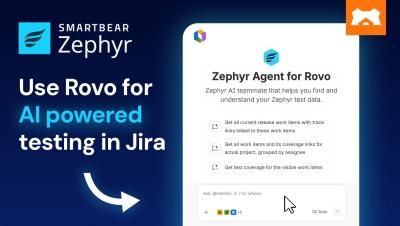
How to use Rovo for AI-powered testing in Jira | SmartBear Zephyr Agent for Rovo

Rovo, Atlassian’s AI assistant, can help you generate test cases directly inside Jira through the SmartBear Zephyr Agent for Rovo. This demo offers a practical look at AI-powered testing with Rovo in Jira, from requirements to reviewed test cases, all within the Jira experience, without switching tools.

Bring your test data into the AI tools you use | SmartBear MCP Server for Zephyr

Not everyone who needs a read on release readiness lives in Jira. This video demonstrates how the SmartBear MCP Server brings trusted Zephyr test data into Claude, so anyone who needs access to testing data gets it without switching context. A QE lead checking coverage, a release manager confirming a ship date, a developer following up on a fix, and any stakeholder who just wants a fast answer has what they need.

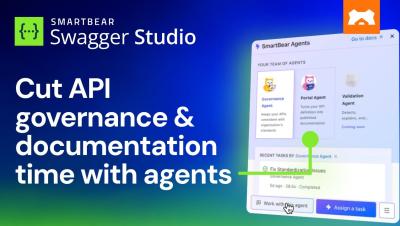
Reduce API governance and documentation time to minutes | SmartBear Swagger Studio

In this video, you'll learn how SmartBear Swagger Agents, built right into SmartBear Swagger Studio, cut the process of manual API governance reviews and documentation from weeks to minutes, generating API definitions that are specific to your APIs and compliant with your organization's governance rules from the start.

What actually makes you trust the software you ship?

What actually makes you trust the software you ship? Proof. As AI changes how software gets built, teams need more than faster delivery in a crowded market where new tools and solutions are constantly emerging. Trust has to be earned. They need application integrity: confidence that what they're shipping works as intended.

Agentic QA demo: Stop fixing broken test scripts

See agentic testing in action with SmartBear BearQ. BearQ uses autonomous agents to explore your application, uncover defects, create regression tests, and adapt testing as your product changes – with human oversight built into the process. Broken, flaky test scripts eat up hours every sprint – and still leave gaps in coverage. SmartBear BearQ replaces constant script maintenance with agentic QA, so testing can move beyond predefined paths without giving up human oversight.

Keep API tests in sync with OpenAPI using Claude Code | SmartBear ReadyAPI

Want your API tests to stay accurate every time your OpenAPI spec changes? See how the SmartBear ReadyAPI MCP Server connects directly to Claude Code, so your API tests stay in sync with your OpenAPI spec without manual rework so you stay apace of change. In this walkthrough, Adrian Minnock, SmartBear Solutions Engineering Team Lead, configures the ReadyAPI MCP Server and connects it to Claude Code from the terminal. The demo also shows how ReadyAPI detects and repairs tests automatically after a spec change, then runs the new suite with ReadyAPI's own execution engine.

How to fix API contract drift with AI agent skills | SmartBear Swagger Contract Testing

Your AI coding agent can already write code. Can it verify a contract, run provider checks, and tell you whether it's safe to deploy? This video shows you how to set up SmartBear Swagger Contract Testing drift AI Agent Skills, so your agent can spot API drift and write the missing tests for you, without needing the context multiple times.

How to get instant API test coverage with drift init | SmartBear Swagger Contract Testing

Learn how to generate API contract tests automatically from an OpenAPI specification using SmartBear Swagger Contract Testing's drift init command. Instead of writing tests endpoint by endpoint, you'll generate your first contract test suite in minutes. This video shows the full loop.