Systems | Development | Analytics | API | Testing

Find Elements in Selenium with Python: A Complete Guide

When you write a Selenium test, every interaction depends on one crucial step: identifying the right element. Whether it's a button, input field, dropdown, or link, Selenium must find it before it can click, type, or select. This is where element locators come in. These strategies help your Python scripts pinpoint specific pieces of the page, just like a user would. In this guide, you'll learn exactly how to find element in Selenium with Python confidently and consistently.

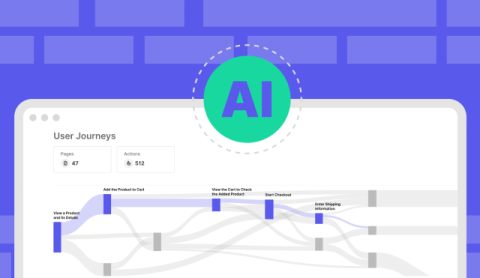
Why AI-native Testing Redefines Quality

The AI mandate is real. Boards and executives are demanding that software organizations move faster, embrace AI, and deliver without breaking trust. Development velocity is accelerating at machine speed, but testing has not kept up. The question every QA leader faces today is simple: will quality keep pace, or will it become the bottleneck? This is where the shift from automation to AI-native testing comes in.

From Bottleneck to Boardroom: Unlocking Test Automation ROI with Katalon TrueTest

Software is now the front door of your business, and when it fails, revenue and trust are on the line. Yet quality assurance is still too often treated as a cost center instead of a growth driver. The AI mandate is raising the stakes: boards expect faster delivery through AI and low-code, but that speed creates more complexity to test. Most QA teams still rely on manual processes, leaving quality as the bottleneck.

Fluent Wait in Selenium: Guide and Examples

Waits are a big deal in Selenium. They help your tests stay in sync with dynamic pages, slow-loading elements, and unpredictable conditions. Fluent Wait in Selenium is one of the most powerful tools in your testing toolbox. It’s designed to handle the messiness of modern web apps where elements don’t show up on time and page behavior keeps changing. Unlike fixed waits or one-size-fits-all timeouts, Fluent Wait gives you control.

What is Test Analysis? A Simple (But Complete) Guide

Test analysis is the step where we translate ideas into testable checks. Think of test Analysis as a bridge from requirements to coverage. In this guide, we will keep it practical. We will show the steps in test analysis and how to apply them as well as sharing simple techniques for analyzing test results (with examples you can reuse). Let us dive in and make your work easier.

Explicit Wait in Selenium: How It Works (A Simple Guide)

Not all elements show up at once. Some need time to load. Some depend on JavaScript or AJAX calls before becoming available. That’s why smart wait strategies matter in test automation. Explicit Wait in Selenium gives you control. It waits for specific conditions to be true before your script moves forward. You can wait for a button to become clickable, a form to appear, or an alert to pop up. All without guessing how long it will take. In this article, we'll explore: Let’s get started.

What key factors to consider when choosing between open-source and commercial testing tools?

Community viability and integrations decide a lot when choosing between open source and commercial tools. Check whether the open source project’s community is large, active, and aligned with your use case. Verify that required integrations for your enterprise stack are supported. Consider long-term maintenance risk if a project is abandoned versus the sustained support and roadmap you get from a viable vendor.

How to Debug Agentic AI: From Failed Output to Root Cause

In traditional QA, debugging means tracing a failed test step to a broken function, a missed config, or bad data. There's usually a clear defect, a fixable cause, and a predictable outcome. But in agentic AI systems where outputs are shaped by language, memory, tool use, and learned behavior failure is rarely that clean. Instead, it looks like: If Blog 4 taught us how to design tests that stress these systems, this blog is about what to do when those tests fail.