Systems | Development | Analytics | API | Testing

How to Build Multi-Tenant Environments with Yellowfin BI

Multi-tenancy is almost a prerequisite to provide a secure environment for each of your customers when using business intelligence (BI) tools embedded in external services. Although it is possible to control the access rights by granting individual access to user accounts without separating tenants, it is obvious that the management will become more complicated as the number of customers grows. In a previous blog, we covered what multi-tenancy means in the context of embedded analytics.

Yellowfin vs Qrvey: What's the difference?

In today's data-driven era, businesses increasingly rely on business intelligence (BI) and embedded analytics solutions to integrate data analysis into their application workflows and help more people gain valuable insights for data-driven decision-making. But with such an important, long-term business objective comes the requirement of comparing tools to get the best value.

Yellowfin Cool Features Part 1: Making Reports Pop

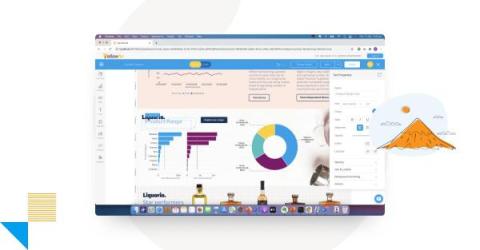
In this blog series, Yellowfin Chief Technology Officer (CTO) Brad Scarff breaks down some of the coolest and most unique features of the Yellowfin embedded analytics suite. Despite all the new developments in business intelligence (BI) tools, such as artificial intelligence (AI), automation, and natural language query, the report is still the mainstay of information delivery in most organizations.

What is Multi-Tenancy? Understanding Multi-tenant Analytics

Multi-tenancy is a concept that refers to the ability of a software application or system to serve multiple tenants, or customers, on a shared infrastructure. In simpler terms, it is the capability of a single instance of a software application to accommodate multiple users or organizations, each with their own datasets and customization options.

Yellowfin vs Power BI: What's the Difference?

Adopting a new business intelligence (BI) solution requires a thorough understanding of its feature-set and functionality in order to ensure analytics is integrated into your business as seamlessly as possible and that the value of your new tool is realized. Previously, we have covered how Yellowfin can be used with Power BI as a complementary solution.

Not All Natural Language Query (NLQ) Models Are Created Equal: Part 3 - Power BI Q&A

In part one of this series, we discussed the evolution of Yellowfin’s Guided NLQ solution and focused on aspects of Guided NLQ that stand apart from the competition. In part two, we then compared Guided NLQ to Sisense's equivalent NLQ solution, Sisense Simply Ask. In part three, we will look deeper at another competitor’s NLQ offering, Microsoft Power BI and its Q&A feature.

A Best-In-Class Analytics Platform: Yellowfin GM Update To Customers

Today, I’d like to share updates on the strategic direction of Yellowfin and highlight how our investment aligns with our commitment to embedded analytics and enterprise BI. We recently released Yellowfin 9.9 which continues to improve the quality of our powerful platform. In the last several years Yellowfin added many new features, and we want to make sure that they work flawlessly. Based on your positive reviews, we are pleased to report our excellent progress.

Empowering Business Intelligence with Yellowfin's Automation Capabilities

In today's data-driven world, companies rely heavily on business intelligence (BI) platforms to gain valuable insights and make informed decisions. Yellowfin, specializing in embedded analytics, stands out with its automation features (automated business monitoring). These capabilities have revolutionized the BI landscape, transforming it from basic reporting to self-service analytics and providing companies unparalleled benefits.

What is Yellowfin Broadcast? Adding Call-to-Actions to Your BI

One of the most common challenges of analytics adoption is ensuring that your customers or end-users can see and extract value from their data and reporting tools. Providing people with new and improved embedded analytics tools is unfortunately not enough to guarantee that everyone will be able to use them without additional assistance or encouragement.

Not All Natural Language Query (NLQ) Models Are Created Equal: Part 2 - Sisense Simply Ask

In part one of this series, we discussed the evolution of Yellowfin’s Guided NLQ solution and focused on aspects of Guided NLQ that stand apart from the competition. In part two, we will look deeper at Sisense’s NLQ offering, Simply Ask, to provide an understanding of how Guided NLQ stacks up directly to other natural language query options.