Systems | Development | Analytics | API | Testing

AI x Testing Leadership | Jaydeep Chakrabarty | Ask Me Anything

AI is not just changing how we test it's redefining how we lead. This high-impact AMA explores how testing leadership must evolve in an AI-first world. Whether you're managing a lean QA team or scaling quality across a large enterprise, the session offers frameworks and insight to help you lead, not just adapt, through transformation. What you'll take away: About Jaydeep Chakrabarty.

Leveraging ThoughtSpot and LLMs for Business Insights

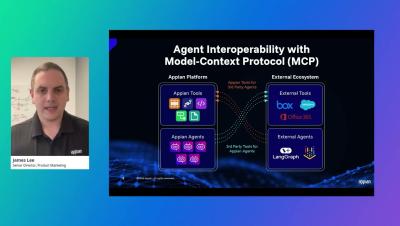
- Building a prototype is easy—but scaling reliable, secure AI is the real challenge. In this demo, we show you how to move past basic chat and into the era of Agentic AI with the ThoughtSpot MCP (Model Context Protocol) Server. The MCP Server acts as a bridge between your data and external LLMs like Claude, OpenAI, and Gemini. It doesn't just answer questions; it reasons through your data model to automatically generate governed, mission-critical Liveboards.

Master Muze Charts - An Introductory Guide

Go beyond standard dashboards with Muze, the data visualization library that brings a "grammar of graphics" approach directly into ThoughtSpot. Starting in version 10.15, Muze is available as a native chart option, allowing you to build highly interactive, code-level visualizations without leaving your browser. What’s Covered: Whether you are looking to learn the technical side of custom visualizations or want to see the platform in action, we have the resources to help you succeed.

Syncing Google Sheets with Analyst Studio for Enhanced BI Insights

- Struggling to manage large datasets in Google Sheets while trying to run high-level BI initiatives? In this video, we demonstrate how to seamlessly bridge the gap between your Google Drive and ThoughtSpot using Analyst Studio. We walk you through the entire end-to-end workflow: from connecting a Google Sheet via URL to building a data model and visualizing your insights in real-time. Learn how to automate your data pipeline so that every update in your spreadsheet—like changing a client’s industry or adding new leads—reflects instantly in your ThoughtSpot Liveboards.

Snow Report: What's Happening At Snowflake in January

Ryan Green kicks off the new year with the latest updates across Snowflake and the AI Data Cloud. Learn about three Snowflake capabilities now generally available, including Interactive Analytics on AWS, Snowpark Connect for Apache Spark, and next-generation Snowpipe Streaming across AWS, Azure, and GCP.

A Shifting Left Success Story | David Ingraham | TTTribeCast Webinar

A Shifting Left Success Story” takes you inside a real-world transformation where test automation was intentionally moved earlier in the development lifecycle — with measurable and lasting impact. This session unpacks the how, why, and key lessons learned from embedding Shift Left practices within a cross-functional team. You’ll discover what made the approach successful, where challenges emerged, and how a thoughtful Shift Left strategy can dramatically improve code quality, shorten feedback loops, and build greater trust between developers, testers, and product stakeholders.

How do you plan to test 10x more code with the same old tools?

You can’t test 10x more code with the same old tools. As AI dramatically increases code volume and speed, traditional testing becomes a bottleneck. Teams need AI embedded across the entire testing lifecycle to scale testing, boost productivity, and keep releases moving fast without sacrificing quality — Alex Martins, VP of Strategy at Katalon Follow Katalon for more insights in our series!

Supercharge your LLM Using Production Data Context

Are your LLM coding agents (like Cursor or Claude Code) hallucinating fixes because they don't know what's actually happening in production? In this video, Matt from Speedscale shows you how to bridge the gap between your local IDE and live production traffic using the Model Context Protocol (MCP). Most observability tools just give you telemetry. Speedscale’s MCP server gives your agent the "inner workings" of actual API calls and payloads, so it can check its assumptions against reality. No more "vibe-coding" and hoping it works; let your agent find the 500 errors and rate limits for you.