Systems | Development | Analytics | API | Testing


8 Cloud Cost Optimization Tactics for Kubernetes
8 Cloud Cost Optimization Tactics for Kubernetes
If you’ve ever gotten sticker shock after receiving a surprisingly large cloud bill, this might have been your reaction… I think we’ve all been there. While the cloud makes flexible scaling possible, it has also introduced many new services one can use, resulting in increased cloud costs. In this article, I’ll go over the eight ways you can reduce your Kubernetes cloud costs. I use Amazon Web Services (AWS) as an example, but the lessons can also apply to other cloud providers.
API for Beginners - Frequently Asked Questions
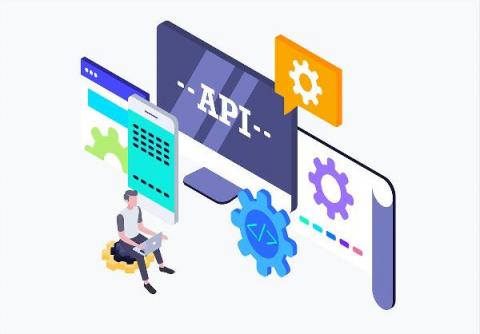
Are you looking to benefit from automation but lack the experience to leverage an API? To equip you with the tools you need to start utilizing APIs and automation, we’ve put together these helpful Beginner FAQs covering common terminology, methods, and tools for testing APIs.
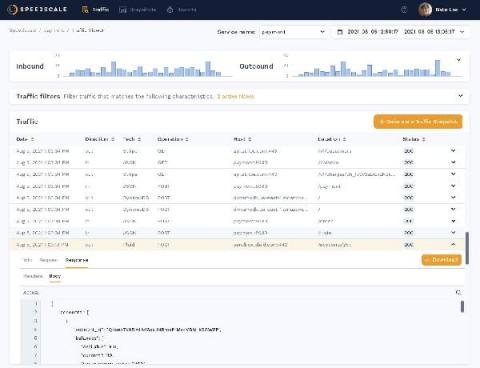
Speedscale Announces New Software Release: Traffic Viewer for API Visibility in Kubernetes Clusters
We are excited to announce a new global release of our software with unique API visibility features to help organizations discover problems with their cloud services well before they impact customers in production.

Getting Started with Docker: A Tutorial
Docker containers have taken the software industry by storm. Ever since its launch in 2013, Docker’s usage and popularity have grown at a rapid pace. Docker has saved organizations from the challenges of managing dependency and version conflicts across multiple environments by providing a portable, secure, and (most importantly) reliable container technology for shipping applications.
Integrating Speedscale with Jenkins
Minimizing and automating the path from development and production is necessary in order to stay competitive and keep customers happy. As engineering teams strive to solve this by quickly and efficiently rolling out new features, updates, and bug fixes, continuous integration and deployment (CI/CD) has come to be regarded as an industry best practice. One of the most popular CI/CD solutions is Jenkins, an open-source job execution system.
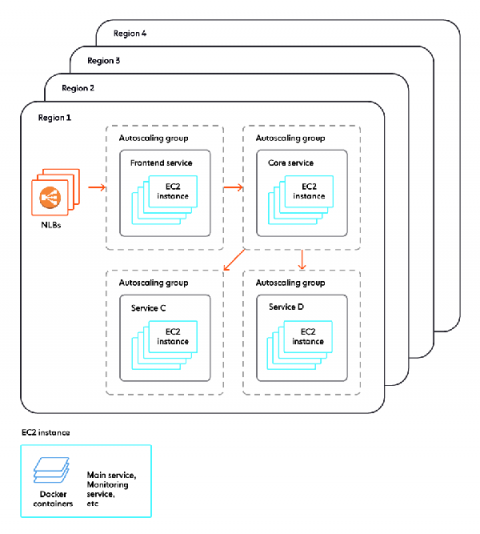
No, we don't use Kubernetes
At Ably, we run a large scale production infrastructure that powers our customers’ real-time messaging applications around the world. Like in most tech companies, this infrastructure is largely software-based; also like in most tech companies, much of that software is deployed and runs in Docker containers.
Packet Capture Without "tcpdump" for Go Apps in Kubernetes
Every developer knows there are some utilities that are completely indispensable from their workflows. The programmer’s toolbelt, if you will. These toolbelts are usually different from person to person, but if there is one tool that everyone should use or at least know how to use, it is tcpdump. If you are unfamiliar, tcpdump is a tool that allows you to dump and inspect live network traffic being observed on a network interface.