Systems | Development | Analytics | API | Testing

What Is a CVE, and Why Should Every Node.js Developer Care?

If you've ever updated a dependency, scanned your project for vulnerabilities, or opened a GitHub Security Advisory, you've probably seen something like CVE-2025-13465. For many developers, it's just another identifier attached to a security warning. Easy to ignore, especially when your priority is simply getting your application shipped. But that small reference represents something much bigger: it's the common language the software industry uses to identify and communicate security vulnerabilities.

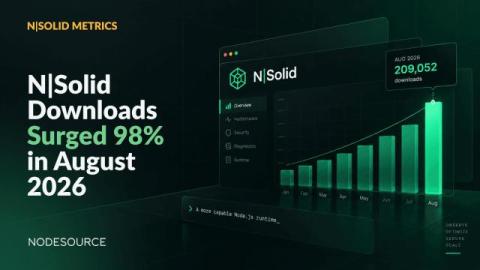
2 Million Runtime Downloads: Thank You for Trusting N|Solid

Reaching a milestone is always exciting. Some milestones carry a deeper meaning. Today, we're proud to share that the N|Solid Runtime has surpassed 2 million downloads. The milestone reflects growing momentum, with downloads accelerating and putting us on track to nearly double last year's total. To us, this isn't simply a download count.

Node.js Debugging in VS Code and Chrome DevTools

Node.js debugging allows us to identify and fix errors, unexpected behavior, and performance issues in server-side JavaScript applications. Instead of using the less precise console.log, we can connect a real debugger and control execution step by step. Most Node.js developers actually use one of two distinct setups: This guide will show you how to use both technologies, with a clear step-by-step workflow for each.

Introducing the N|Solid Plugin for AI Coding Agents

AI coding agents have quickly become part of the daily workflow for Node.js developers. Whether you're using Claude Code, Codex CLI, OpenCode, Antigravity CLI, or Pi Agent, these tools are great at generating code, explaining implementations, and automating development tasks. But debugging production systems is a different challenge.

Debug a Node.js Memory Leak in Minutes with AI-Powered Heap Snapshot Analysis

Memory leaks are among the most frustrating production issues to investigate. At first, everything looks normal. Requests are processed successfully, users aren't reporting problems, and the application appears healthy. Then memory usage starts climbing. Garbage collection runs more frequently. Performance degrades. Eventually, the process becomes unstable or crashes altogether. Detecting a memory leak isn’t even half the battle.

Blocking Install Scripts Is Not a Silver Bullet

npm v12 finally turns off automatic install scripts. That closes one door and leaves another wide open. I have spent years on the security side of the Node.js ecosystem, more recently as the primary contact for the OpenJS Foundation CNA, and now as the Node.js AI Security Engineer in Residence, a role supported by Alpha-Omega. Almost all of that work comes down to one question: can you trust the code you install? So I will say this plainly.

How We Designed a Node.js Production Debugging Experience with AI

Earlier this year, our team launched the N|Solid Extension, a Node.js production debugging and observability tool designed for modern development environments. The goal was simple: help developers investigate production issues without constantly switching between dashboards, monitoring platforms, and their editor. Instead, runtime telemetry, diagnostics, security insights, and AI-assisted workflows could live directly where developers already spend most of their time.

Security at Scale: How NodeSource Remediated 21 Vulnerabilities Across Enterprise Node.js Environments

Security vulnerabilities in production environments rarely arrive one at a time. Recently, one of our enterprise Node.js support customers identified a collection of security advisories affecting their Node.js infrastructure. The affected environments were running Node.js v20 and v22 and included vulnerabilities not only within runtime-adjacent tooling but also in components distributed alongside Node.js deployments.

Why Node.js Developers Need Production Context Inside the IDE

Modern Node.js development no longer happens across isolated tools. As developers, we no longer just write code. We constantly move between terminals, logs, dashboards, cloud platforms, tracing suites, CI pipelines, browser tools, and production environments to understand what our applications are doing. For years, that fragmented workflow became normal. But modern IDEs are changing that. Today, AI assistants live directly inside VS Code.