Systems | Development | Analytics | API | Testing

Centerprise AI: Add New Banking Systems Without Custom Integration Projects

Your next banking initiative shouldn't wait on another custom integration. Keep your core banking system and connect everything around it with Centerprise AI. Describe the pipeline you need, and it generates the connections, mappings, transformations, and data quality checks across APIs, databases, legacy systems, and more.

What's New and Improved in Astera 11.2

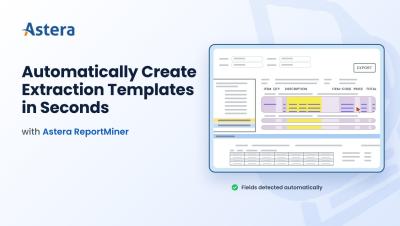
A faster, efficient, more capable Astera with same licensing cost Astera 11.2 is available now for every product on the platform: Centerprise, ReportMiner, EDI Connect. High-volume jobs process up to 2x faster, extraction templates are generated under five seconds with AI-powered Auto-Generate Layout, and Dataflows can run a full retrieval-augmented generation (RAG) pipeline without a separate tool. The release also simplifies deployment, and adds email-driven workflow triggers.

Building a Data Warehouse with the Astera AI Agent: From Prompt to Insight

Establishing a data warehousing system that meets all your business intelligence targets is by no means an easy task. It traditionally involves profiling source systems, designing a dimensional model by hand, writing the DDL to deploy it, building the load pipelines, and scheduling them to run, work that can take weeks. Astera's manual, step-by-step approach to this is covered in Building a Data Warehouse – A Step by Step Approach.

Accounts Payable Automation Using RPA: How It Works

If you've spent any time researching accounts payable automation, you've probably run into the term RPA — robotic process automation. It's one of the oldest and most widely deployed forms of business automation, and it still plays a real role in AP departments today. But it's also frequently confused with newer, AI-powered approaches to invoice processing. This guide breaks down what RPA actually does in accounts payable, where it holds up, and where it runs out of road.

How to Extract Data from Fiserv Report Files and Write It to Excel

TL;DR: Fiserv platforms generate fixed-width.rpt files where every field sits at an exact character position. Astera ReportMiner maps those positions through a visual template editor, extracts the data, validates it against your business rules, and writes it directly to Excel, CSV, or 200+ other destinations. One template handles every future instance of the same report type, and the full pipeline runs unattended on a schedule.

How ReportMiner Processes Mainframe Reports at Enterprise Scale

Mainframe reports are one of the oldest and most persistent data extraction challenges in enterprise IT. They are generated by COBOL programs, printed by JES2/JES3 spoolers, and exported as fixed-width text files from IBM i Series, z/OS, AS/400, and similar systems. They power critical operations in banking, insurance, government, healthcare, and manufacturing. They also look nothing like the documents that modern AI extraction tools are designed for.