Systems | Development | Analytics | API | Testing

Spotter Enhancements

Spotter just got smarter and more in your control. You can now customize your agent's name, persona, output formatting, and guardrails to dictate exactly how it should (and shouldn't) handle data. Set it once, in plain language, and every user across the organization gets a configured, governed Spotter. Other new features include: Ad-hoc file analysis: Upload any flat file directly into Spotter and start asking questions instantly, solo or blended with your governed data.

Agent development and AgentOps with BigQuery, ADK, and MCP

Join this session to learn about Agent Development Kit (ADK) and Model Context Protocol (MCP) integration methods that standardize how agents connect to your data while removing the need to build custom database connectors from scratch. Discover how to build agents with the ADK that accesses BigQuery for analysis, Google Maps for geospatial insights, and AlloyDB for transactions – all in a single workflow. Learn how to implement agent operations (AgentOps) for deep observability into both agent performance and cost with a single line of code.

Demo: Real-Time Context Engine for Fleet Management

Use Real-Time Context Engine and Claude, or any MCP-compatible client, to explore operational data using natural language in real time. That includes everything from simple lookups to multi-step investigative questions like: Confluent’s Real-Time Context Engine gives AI agents live access to operational context as events happen across the business. Instead of relying on stale snapshots, agents can query and reason over continuously updated tables in real time.

Get Started With LLM Proxy in WSO2 API Platform AI Gateway

Run your first LLM proxy on WSO2 Platform AI Gateway in minutes — no cloud setup required, just Docker. This quickstart walks you through spinning up the WSO2 Platform AI Gateway as a standalone component on your own infrastructure. You'll add an OpenAI provider configuration (including API key auth and access control rules), deploy an LLM proxy that routes through it, and verify live responses end to end. What you'll set up.

Ep 79 | Why Some AI Products Strike a Chord (and Others Don't)

You recognize the tune, but something feels off. That's how Marlon Davis describes many of today's AI initiatives: AI karaoke. Organizations are rushing to add AI to products, but too often they're layering technology onto solutions without fully understanding the customer problems they're trying to solve. In this episode of The AI Forecast, Paul Muller sits down with fractional Chief Product Officer at Devlnio, Marlon Davis, to explore how organizations can move beyond superficial AI efforts and build products that deliver meaningful customer value.

How Enterprise Teams Are Keeping Up With AI-Generated Code at Scale | Perforce 2026

When AI Starts Shipping Code: Managing the Collision Between Human and AI-Generated Code AI agents don't wait for reviews. They generate code overnight, work across the same codebase in parallel, and produce more changes than any human team can realistically process — creating a new kind of bottleneck we call the Merge Wall. In this session, Perforce engineering leaders break down what happens when human and AI-generated code collide at scale — and how leading teams are building the visibility, governance, and coordination layers required to keep up.

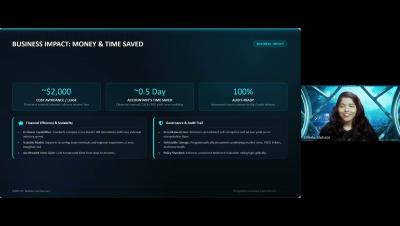
Tricentis qTest + Vera Integration Setup | Automated Digital Validation

Learn how to connect qTest Manager, a component of Tricentis qTest, with Tricentis Vera (Validated Electronic Record Approval) to achieve compliance through electronic signatures and workflow controls. In this quick setup walkthrough, you'll see how to: Navigate to Integration Settings within qTest Manager Select and configure the Vera external system integration Enter your Vera callback URL to link the two platforms.