Systems | Development | Analytics | API | Testing

A Better Streams Model for JavaScript Is Taking Shape

If you’ve worked with Node.js in production, you already know that streams are not a niche feature. They are part of the foundation. They power how data moves through systems, how I/O is handled, and ultimately, how applications scale. For years, that foundation has held up remarkably well. At the same time, many developers—junior and senior alike—have shared a similar feeling: while streams are powerful, they don’t always feel natural to work with.

JavaScript Debugging in Chrome

Imagine you’re mechanic trying to fix a car. There’s this magic piece of kit that allows you to pause the engine and see inside every moving part. You can tweak parts live, test changes instantly and measure which parts are slowing the whole thing down. This is JavaScript debugging in Chrome. Using Chrome DevTools, you can pause execution, inspect variables and scope, and follow code as it runs. So you can see what the code is actually doing at runtime, without assumptions.

How to step through JavaScript code

And more to the point… why do I need to read a whole blog post on it? Two good questions. Well when we’re debugging, stepping removes the guesswork by letting us watch the logic unfold step-by-step. We can pause the code, go through the execution one instruction at a time and isolate the exact point where the bad stuff happens. This is one of the most reliable ways to understand why a bug happens, not just where it shows up. It also shines a microscope on our code flow, showing us.

JavaScript debugger Statement: How to Use It and When

The JavaScript debugger statement is a built-in keyword that tells the JavaScript engine to pause execution at a specific line of code. When execution stops, you can inspect variables, function scope, and the call stack using developer tools. It is commonly used during development to analyze how values change and where logic breaks, without relying on repeated logging or assumptions. No more guesswork. No more partial truths.

JavaScript Is Evolving Faster Than Ever - And JSConf Spain Made It Impossible to Ignore

There’s something powerful about stepping away from your day-to-day work and being surrounded by people asking the same questions you’ve been thinking about: At JSConf Spain, those answers don’t come from a single talk. They emerge from patterns — ideas that repeat across different speakers, different companies, and different perspectives.

JavaScript Exception Handling: try, catch, throw, async & Best Practices

Exceptions are inevitable. It’s how we deal with them that matters. An effective exception handling regime is the difference between an app that only works in sandbox and one that can adapt and scale in the real world. JavaScript can throw up all kinds of weird and wonderful exceptions, because it runs in inherently unpredictable environments. So we’ve put together this guide to give you a clear, repeatable plan for handling them.

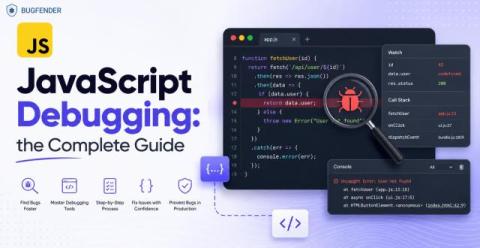
JavaScript Debugging: How to Find and Fix Bugs in JS

An effective JavaScript debugging regime is essential if we want to build responsive, reliable and highly-rateable Android apps. JavaScript doesn’t enforce types at compile time (unlike Swift) and this means errors often happen quietly, when users are already feeling them. So it’s vital that we debug pre-emptively, using knowledge rather than guesswork.

Koyeb Sandboxes: JavaScript SDK Now Available

Today, we’re releasing the JavaScript SDK with full TypeScript support for Koyeb Sandboxes. Less than a month ago, we introduced Koyeb Sandboxes and our Python SDK, giving teams a simple way to run AI-generated code securely in isolated environments. The JavaScript SDK expands this experience and brings the same secure, high-performance sandboxes directly to JavaScript/TypeScript applications, so developers can run AI-generated and untrusted code safely without managing infrastructure.

JavaScript Date(): How to Build a Date from Components #javascript #webdevelopment #jstutorial

JavaScript dates look simple until they’re not. Here’s the second way to create a date: pass the components manually. Year, month, day, hour, minute—each as a separate number. And anything you skip defaults to zero. So you can write just the year, month, and day like this……but there’s a catch coming.

JavaScript Date & Time Explained: Format, Parse & Use the Date Object (2025 Guide)

Learn how to use the JavaScript Date object, format dates correctly, handle timezones, and avoid common bugs with the Date and Time API. This 2025 guide covers parsing, formatting, new date formats, and everything developers need to work reliably with date and time in JavaScript. If you’ve ever seen a date shift by one day, hours changing unexpectedly, or confusing “Invalid Date” errors… this tutorial will finally make it all make sense.