
Systems | Development | Analytics | API | Testing

AI Assisted Development Explainer

AI is transforming software development, but it can be costly and hard to maintain without clear direction. Appian addresses this with spec-driven development: use AI to extract business logic and create visual, collaborative specifications. Then, let agents build and update apps with alignment and control, optionally integrating external agentic tools, so critical applications are built to last.

Your AI Analyst Is Now in Microsoft Teams: Here's How It Works

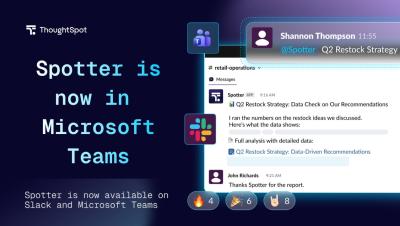
Your governed data is only useful if people can access it where decisions actually happen. For most teams, that's not a BI tool… it's Microsoft Teams. In this demo, watch how Spotter, ThoughtSpot's AI analyst, works directly inside Teams: in direct messages, group chats, and collaborative channels. Ask a question in natural language, and Spotter pulls from your governed data models to return an answer, right in the thread. Every answer names the model it came from, so anyone can verify the number instead of taking it on faith.

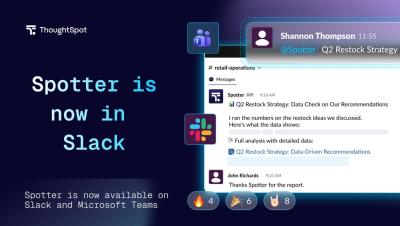
Your AI Analyst Is Now in Slack: Here's How It Works

Most data questions come up in Slack. Most data answers require leaving it. In this demo, watch how Spotter, ThoughtSpot's AI analyst, works directly inside your Slack workspace, in direct messages, threads, and public channels. Ask a question in natural language, and Spotter pulls from your governed data models to return an answer with high-level insights and relevant artifacts (images, PDFs, and CSVs), right where the conversation is already happening.

Ep 98 | Can You Gaslight an AI Model? The New AI Security Threat

You can talk an AI model into breaking its own rules. Sometimes, all it takes is knowing what to say. Dr. Peter Garraghan has spent years studying how attackers exploit AI systems, and some of his findings are surprisingly human. AI models can be manipulated through language, using techniques that resemble the social engineering tactics cybersecurity professionals have dealt with for decades.

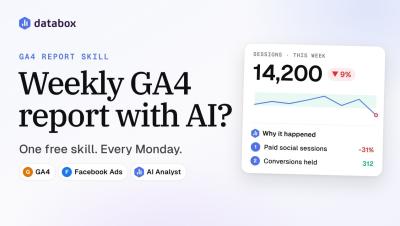
How to create a weekly GA4 report with AI (free Databox GA4 report skill)

How do you create a weekly GA4 report with AI? Run the free GA4 Website Traffic & Performance Report skill in Databox. Genie, the Databox AI Analyst, reads your live Google Analytics 4 data and writes the whole weekly report: the verdict, channels, landing pages, conversions, trends and anomaly flags. The same skill also runs in Claude through Databox MCP. In this video: Chapters Key terms Tools and data sources shown: Google Analytics 4, Facebook Ads, Asana (Asana MCP connector), Slack, Claude with Databox MCP. All data is a fictional demo account.

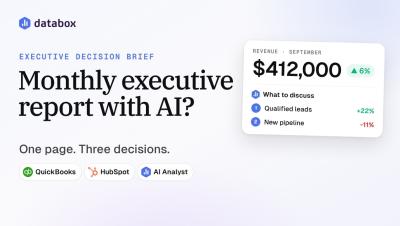
How to create a monthly executive report with AI (Databox Executive Decision Brief)

How do you create a monthly executive report with AI? Run the Executive Decision Brief skill in Databox. Genie, the Databox AI Analyst, reads your connected metrics and writes a one-page leadership brief: the executive takeaway, wins, risks, contradictions between metrics, and three "Should we..." decisions to discuss. It reads in about 90 seconds, and the same skill runs in Claude through Databox MCP.

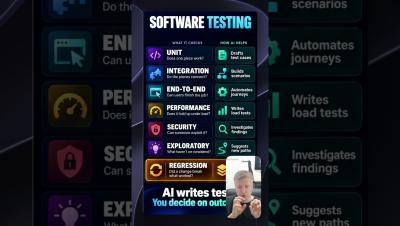
Can AI Do Your Software Testing? #softwaretesting #aitools #codingtips #devlife #tech #aiagents

Learn how AI handles different types of testing, from simple unit tests to complex end-to-end setups. Discover where AI succeeds in writing test code and where human strategy is still needed. Learn more: speedscale.com.

Application Chaos Testing using Traffic Replay #apitesting #devops #microservices #chaostesting

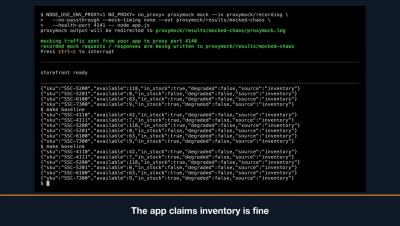
Learn how to test your application's fallback mechanisms by intentionally injecting chaos and simulated dependency failures into recorded API traffic. Easily configure scoped rules to inject status code errors or delays during mock runs to verify your app handles failure gracefully. Learn more: speedscale.com.