Systems | Development | Analytics | API | Testing

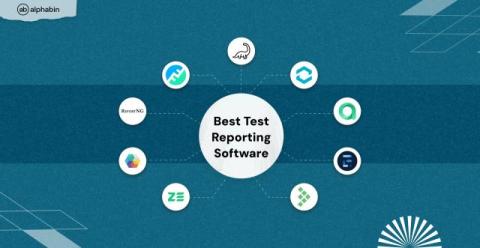
Best Test Reporting Software

It’s 2 AM. Your release just broke again. CI pipelines were green, tests appeared clean, and the dashboard looked harmless. Yet, staging is down, and no one knows why. You're staring at static HTML reports and generic error logs. They show what failed, but give no clue why, no context, no trace, no help. It's like debugging in the dark. This is what outdated test reporting costs: lost hours, broken releases, and reactive firefighting when you should be sleeping or shipping.

Saving Time in Complex Financial Reporting

Still relying on spreadsheets? For many finance teams, reporting remains a slow, manual grind—like trying to run a marathon in flip-flops. It’s possible, but exhausting and inefficient. In today’s fast-paced business world, where agility and accuracy are non-negotiable, manual processes simply can’t keep up. Bottlenecks, duplicated efforts, and error-prone data handling drag down progress and divert your team’s talent away from higher-impact work.

Analytics vs. Reporting: How Are They Different and Why You Should Focus on Both

Analytics and reporting can help businesses transform data into actionable insights, identify customer behavior patterns, measure each department’s performance, and improve operational efficiency. And this is just the tip of the iceberg. However, while these two terms are often used interchangeably, they represent different approaches to understanding and communicating data.

Webinar Reporting Made Easy: How to Combine Zoom + HubSpot Data for Clear Insights

Struggling to report on webinar performance in a way that actually makes sense to your exec team? Ali Schwanke from @SimpleStrat built a clean, custom dashboard that merges Zoom and HubSpot data—giving her full visibility into webinar ROI. In this video, you'll see how she tracks attendance, first-touch conversions, lead source attribution, and more over time. By blending registration, engagement, and survey data from Zoom with lifecycle insights from HubSpot, she reveals which webinars drive results—and why.

HubSpot Reporting Dashboards Used by Revenue Experts: Real Templates, Pro Tips

As a current HubSpot user and veteran of a HubSpot partner agency, I know first-hand how powerful HubSpot is. And they’ve built a lot of great reporting enhancements into the platform over the last few years. And yet – we still hear that even the best HubSpot power users run into limitations (in functionality, pricing, or both).

How to Simplify Reporting in Power BI Using Jet Reports and Dynamics 365

If you’re looking for a better way to handle reporting in Power BI, especially when working with Microsoft Dynamics 365 data, you’re not alone. Many businesses struggle with the complexity of Dynamics data and the technical overhead of building reports in Power BI from scratch. In this guide, we’ll show you how to simplify Power BI reporting by using Jet Reports, a powerful reporting tool that integrates seamlessly with Dynamics 365 and Excel.

How to Improve and Optimize Your ERP Reporting Strategy

ERP systems are the backbone of modern business operations. They support everything from finance and procurement to supply chain and compliance. But when it comes to reporting, even the most powerful ERP systems often fall short. Reports are slow to build, difficult to update, and often require IT support just to answer basic questions. That’s why optimizing your ERP reporting process is no longer optional. It’s essential.

Excel-Based Solutions for User-Friendly Oracle Reporting

Every day, finance teams using Oracle ERPs find themselves bogged down by the inefficiencies of manual processes—relying on spreadsheets, juggling data extracts, and waiting on IT for access to the information they need. Even with Excel as the go-to tool, managing large datasets and producing accurate reports becomes a time-consuming ordeal, pulling focus away from strategic analysis and decision-making. Enter Spreadsheet Server from insightsoftware.

Dashboard vs Report: Which is better for BI?

Dashboards and reports are two common terms used interchangeably in discussions around business intelligence (BI) and data analytics platforms. Both are analysis tools used to present operational information graphically, provide visibility into organizational performance, and enable informed decision-making based on hard-tracked metrics. But what is the actual difference between BI dashboards vs a report?

Supercharge Reporting in Tableau & Power BI: Overcoming REST API Roadblocks with Simba Drivers

Modern reporting tools like Tableau and Power BI have transformed how end users visualize and analyze data. But for developers and analysts relying on REST APIs to connect these platforms to their data sources, frustrations often mount. From inconsistent data formats to performance bottlenecks, REST APIs—while powerful—weren’t built to handle the complex, high-volume demands of modern BI environments.