Systems | Development | Analytics | API | Testing

The Five Pillars of AI Compliance Excellence

The AI revolution in finance is no longer a question of “if” but “how fast” and “how responsibly.” While our previous posts explored AI auditability frameworks, agentic workflows that transform finance operations, and building AI native Finance teams, today’s CFOs face an equally critical challenge: successfully navigating the complex and rapidly evolving landscape of AI compliance.

Siri 2.0 Delay: Testing Gaps That Just Cost Apple 6 Months

The news dropped this week, and it sent shockwaves through the tech industry. Apple has officially pushed back the release of its highly anticipated Sir i 2.0. Reports from Bloomberg indicate that the update, originally slated for iOS 26.4, ran into severe hurdles during internal review. The culprit wasn't a lack of innovation or features. It was a failure in quality assurance.

Why Your Company Will Be Running OpenClaw Next Year

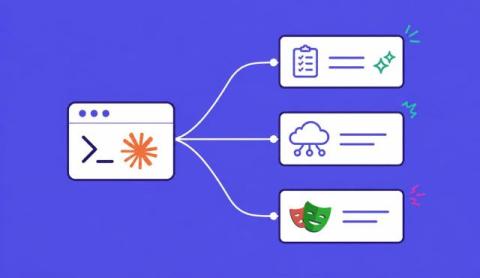
You’ve probably heard of OpenClaw. Maybe you’ve seen the demos where an AI agent opens a browser, navigates to your CRM, fills in a form, and files a support ticket. No API required. Maybe you thought “that’s cool but I’d never run that at work.” Your employees already are. According to Permiso’s research, 22% of enterprise customers have employees running OpenClaw without IT approval.

How AI Coding Is Breaking Synthetic Data Generation

Traditional synthetic data generation approaches, still called “Test Data Management” (TDM) by legacy vendor, were designed for a world where applications were monolithic, databases were the center of gravity and change happened slowly. The world looks a lot different now. Modern systems are distributed, often times event-driven, and increasingly powered by streaming data and AI agents. In this environment, batch-oriented synthetic data generation fails to capture how systems actually behave.

DLP, Traffic Replay, and the Missing Link to Software Quality

In Part 1 and Part 2 we explored why testing modern software is so difficult. Production data is the most valuable input for testing, but it’s locked away because it contains PII and sensitive context. Traditional Synthetic Data Generation (SDG) was built for batch databases, not streaming systems. And AI coding agents amplify every weakness in existing test strategies because they need current, realistic data or they generate buggy code based on outdated assumptions.

State Transition Testing: Diagrams, Tables & Examples

Ever seen a workflow pass QA, then fail the moment users retry, refresh, or hit a timeout? That gap usually isn’t about a “wrong input.” It’s often because the system is in a different state when the same input arrives. In state transition in software testing, the state decides what’s allowed, what must be blocked, and what should happen next. It is one of the simplest ways to make these workflows behave predictably in the real world.

See exactly why your Gradle Build Cache missed: new Task Inputs visibility feature

Every Android developer has been there: yesterday's build finished in 2 minutes, but today's identical build takes 8 minutes. You check your code - nothing major changed. You check your environment - everything looks the same. So why the massive difference? Without visibility into what actually changed between builds, debugging performance issues becomes guesswork. You're left wondering: Which tasks didn't come from cache? What inputs changed? Why did this specific compilation task take so long?

Is Node.js Single-Threaded... or Not?

You’ve probably heard: “Node.js is single-threaded.” That statement is only partially correct. The JavaScript engine (V8) is single-threaded. Node.js as a runtime is not. Under the hood, Node.js uses multiple threads — through libuv and the operating system — to handle I/O and computationally expensive work. So the real question isn’t whether Node.js is single-threaded. It’s.

Chrome Developer Tools: The Ultimate Overview

Chrome developer tools, or Chrome DevTools, give us a window on how our websites working in the wild. Built for developers of all experience grades, they provide powerful ways to inspect, debug and optimize our projects. However the sheer breadth of functionality can be a mind-melt if you’ve not worked with DevTools before, and there are lots of advanced features that even experienced users find tricky.