Systems | Development | Analytics | API | Testing

Automate Your Data Workflows: Connect Databox MCP to Make.com

In this video, we show you how to connect Databox to Make using the Model Context Protocol (MCP). Learn how to give your automated workflows and AI tools direct access to your live business metrics, empowering you to easily fetch context, analyze data, and build data-driven automations faster than ever. Links & Resources: About this series: This video is part of our "Chat with Your Data" series, where we explore the Databox MCP.

Demo days: Reliability Under Pressure: How to Build Self-recovering Data Pipelines

Modern data pipelines don’t fail loudly. A schema change slips through. A few bad records halt ingestion. Dashboards go stale. Engineers rerun backfills. Warehouse costs spike. Business teams begin to question the data. Pipeline instability and silent failures remain some of the biggest bottlenecks for analytics teams operating at scale.

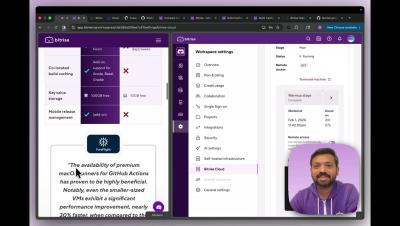
Using the Step Library in Bitrise

See what the Bitrise Step Library can do for you with Senior Solutions Engineer Ben Boral. Instead of relying on custom scripts for functionality, you can use these off-the-shelf components to quickly build a workflow. These steps are open source, allowing you to view their code, fork them, and make changes, or you can write a custom script directly in the Workflow Editor.

How to parallelize tasks using Bitrise pipelines

Pipelines allow you to organize your CI/CD tasks into modular workflows that can run sequentially or in parallel. In this demo, Senior Solutions Engineer Ben Boral shows a simple pipeline that runs a fast linting check first, then executes two test suites in parallel to reduce wall clock time, and gates the build step on the success of those tests - speeding up the feedback loop and avoiding wasteful tasks.

Reviewing your build in Bitrise: Build Details page

In this demo, Naveen Nazimudeen, Solutions Engineer at Bitrise, explores the Build Details page and shows how to quickly get to the root cause of a failed build. He looks at key tabs like Build Logs, Tests (including flaky test detection and quarantine), Artifacts, Build Cache, and VM Monitoring for performance and out-of-memory debugging.

Reflect vision-based AI demo | Create one test for multiple platforms

Create a single mobile test that runs reliably on both iOS and Android - without building separate tests per platform or relying on brittle, platform-specific locators. In this high-level demo, we use SmartBear Reflect’s vision-based AI to record a typical workflow in a sample coffee app, where each step is backed by visual context and intent. Then we run the same test across a mix of Apple and Android devices, including an iPhone, to show how Reflect adapts to the environment at runtime and helps reduce flakiness and false positives.

Al boosts developer speed, so why does it slow testers down?

AI slows testers down when it’s added without a tester-first experience. Testers naturally question coverage and intent, so Katalon designs AI around real testing workflows to boost productivity instead of creating friction. — Alex Martins, VP of Strategy at Katalon Follow Katalon for more insights in our series!

#OnTheSpot: Connecting Structured Data with Live Web Search for Smarter PR

Public relations professionals spend hours pulling coverage reports, but our Director of Corporate Communications Russell Dougan does it in minutes In our latest, Russell shows how he uses ThoughtSpot Spotter to prep for his QBR. By connecting structured data with live web search, Spotter analyzes Q2 media performance and delivers a plan for which publications and podcasts to prioritize in Q3. This is what agentic analytics looks like for comms teams.

Simba Connect Demo: Simplify Workday Data Access With SQL

From 51 API Calls to 10 Lines of SQL: Accessing Workday Data With Simba Connect Accessing Workday data through raw APIs means dealing with pagination, rate limits, nested JSON parsing, authentication logic, and dozens of sequential API calls — just to build a simple HR dashboard.