Systems | Development | Analytics | API | Testing

Cloudera Data Warehouse Demonstrates Best-in-Class Cloud-Native Price-Performance

Cloud data warehouses allow users to run analytic workloads with greater agility, better isolation and scale, and lower administrative overhead than ever before. With the ability to quickly provision on-demand and the lower fixed and administrative costs, the costs of operating a cloud data warehouse are driven mostly by the price-performance of the specific data warehouse platform.

Uncover Gold During an Economic Crisis: Five Steps to Monetizing Your Data

Because of the COVID-19 global pandemic, almost every industry is experiencing volatility, risks and changes to buying behavior. Nevertheless, in crisis often comes opportunity and a forcing factor for businesses to redefine themselves. Those looking to innovate after (or even during) this crisis should focus on two key concepts — data monetization and data modernization.

Loading complex CSV files into BigQuery using Google Sheets

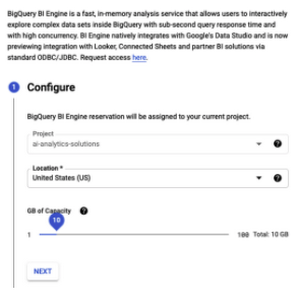
BigQuery offers the ability to quickly import a CSV file, both from the web user interface and from the command line: Indeed, try to open this file up with BigQuery: and we get the errors like: This is because a row is spread across multiple lines, and so the starting quote on one line is never closed. This is not an easy problem to solve — lots of tools struggle with CSV files that have new lines inside cells. Google Sheets, on the other hand, has a much better CSV import mechanism.

Talend vs. MuleSoft vs. Xplenty: Which One Does ETL Better?

The key differences between Talend, MuleSoft, and Xplenty: Enterprise data volumes are increasing by 63 percent per month, according to a recent study. Twenty percent of organizations draw from 1,000 or more data sources. How do these companies extract and move all this data to a centralized destination for business analytics? As we know, Extract, Transform, and Load (ETL) streamlines this entire process. But smaller organizations lack the coding skills required for successful implementation.

Brick and Mortar Stores are Now Built Brick by Brick with Digital Insights

In my last three blogs (Get to Know Your Retail Customer: Accelerating Customer Insight and Relevance; Improving your Customer-Centric Merchandising with Location-based in-Store Merchandising; and Maximizing Supply Chain Agility through the “Last Mile” Commitment) I painted a picture that showed an ever-changing landscape in retail, considering that consumers are more in control than ever, mobile (at least somewhat digitally mobile considering the pandemic) and socially connected.

What is Low-Code? Low-Code vs. No-Code, Low-Code Development Tools, and More

A developer's primary job is to work seamlessly, rapidly, and accurately to create software, apps, or websites that match business requirements. Unfortunately, there is a huge margin for error if you have to write lines and lines of complex code. Additionally, many basic tasks in the use of data-related software and other solutions, require extensive coding knowledge that many employees simply don't have. One solution to this is low-code software and development.

The role of the API in managing Big Data

Every time someone uses an app, information travels from a database to the user via an API. Single instances may not seem very important. As long as they perform the required task, people don’t think too much about how applications work. From a business perspective, though, the big data flowing through APIs could unlock important knowledge that helps tap into emerging trends and target customers better. To get the best results, though, companies need the best big data API management.

Building a Machine Learning Application With Cloudera Data Science Workbench And Operational Database, Part 2: Querying/ Loading Data

In this installment, we’ll discuss how to do Get/Scan Operations and utilize PySpark SQL. Afterward, we’ll talk about Bulk Operations and then some troubleshooting errors you may come across while trying this yourself. Read the first blog here. Get/Scan Operations In this example, let’s load the table ‘tblEmployee’ that we made in the “Put Operations” in Part 1. I used the same exact catalog in order to load the table. Executing table.show() will give you: