Systems | Development | Analytics | API | Testing

How to step through JavaScript code

And more to the point… why do I need to read a whole blog post on it? Two good questions. Well when we’re debugging, stepping removes the guesswork by letting us watch the logic unfold step-by-step. We can pause the code, go through the execution one instruction at a time and isolate the exact point where the bad stuff happens. This is one of the most reliable ways to understand why a bug happens, not just where it shows up. It also shines a microscope on our code flow, showing us.

JavaScript debugger Statement: How to Use It and When

The JavaScript debugger statement is a built-in keyword that tells the JavaScript engine to pause execution at a specific line of code. When execution stops, you can inspect variables, function scope, and the call stack using developer tools. It is commonly used during development to analyze how values change and where logic breaks, without relying on repeated logging or assumptions. No more guesswork. No more partial truths.

SwiftUI Previews: Tips to Boost Your Xcode Workflow

SwiftUI Previews show us how our app will look out in the wild and let us make changes in real time, without emulators. But that’s not the full story. The full benefit of SwiftUI Previews lies in declarativeUI, which allows us to dictate the final state we want to achieve and handles all the process stuff itself. This is a game-changer for developers, allowing us to shift our focus from ‘how’ to ‘what’.

iOS Push Notifications: Complete APNs & Swift Setup Guide

Whether you’re building your first iOS app or improving user engagement, understanding push notifications is essential. They’re how apps stay connected with users, delivering updates, reminders and alerts even when the app itself isn’t running. In this guide, you’ll learn how to implement iOS push notifications from setup to debugging, using Swift and Apple Push Notification Service (APNs) in a real app.

JavaScript Exception Handling: try, catch, throw, async & Best Practices

Exceptions are inevitable. It’s how we deal with them that matters. An effective exception handling regime is the difference between an app that only works in sandbox and one that can adapt and scale in the real world. JavaScript can throw up all kinds of weird and wonderful exceptions, because it runs in inherently unpredictable environments. So we’ve put together this guide to give you a clear, repeatable plan for handling them.

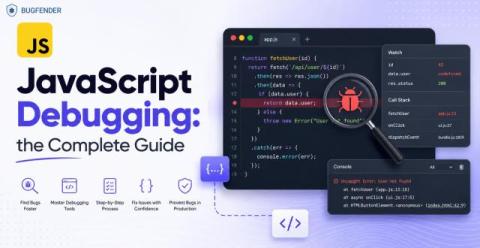
JavaScript Debugging: How to Find and Fix Bugs in JS

An effective JavaScript debugging regime is essential if we want to build responsive, reliable and highly-rateable Android apps. JavaScript doesn’t enforce types at compile time (unlike Swift) and this means errors often happen quietly, when users are already feeling them. So it’s vital that we debug pre-emptively, using knowledge rather than guesswork.

The (not so) hidden cost of custom logging

Custom logging can technically capture everything, but in practice, it rarely does. Coverage degrades over time, external APIs get forgotten, and during incidents, you're left asking "did anyone log this?" instead of debugging. Automatic capture solves this. If you're a technical leader, there's a good chance your team is spending significant time on custom logging… and you might not even realize how much it's costing you in productivity and incomplete debugging data.

Kotlin Annotations Explained: Guide for Android Developers

Kotlin annotations allow compilers or libraries to understand our code. These metadata tags don’t directly change code logic, but they help modify how it is interpreted, optimized, or validated. This simplifies Android development by automating repetitive tasks and ensuring consistent code behavior. It also improves code readability, reduces boilerplate code, and introduces automated checks and generation.

How to Remotely Debug Mobile Apps

Remote debugging is the most reliable way to grasp what’s really happening inside a mobile app once it’s out in the wild. We’re talking crashes that never appear in development, and issues from users that can’t be reproduced locally. If you ship mobile apps, you’ve been vexed by these problems at some point.

Heroku logs and you: a complete guide

Heroku's logging system is your primary window into application behavior, but its ephemeral nature and streaming architecture can feel mysterious at first. This guide walks through everything developers need to know about Heroku logs, from understanding what they are and how to access them, to working around their limitations and forwarding them to external services like Honeybadger Insights for complete observability. Read on to master Heroku logging.