Systems | Development | Analytics | API | Testing

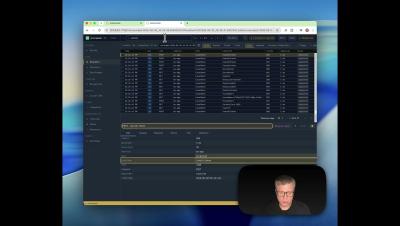
Chrome Developer Tools: The Ultimate Overview

Chrome developer tools, or Chrome DevTools, give us a window on how our websites working in the wild. Built for developers of all experience grades, they provide powerful ways to inspect, debug and optimize our projects. However the sheer breadth of functionality can be a mind-melt if you’ve not worked with DevTools before, and there are lots of advanced features that even experienced users find tricky.

JavaScript Date(): How to Build a Date from Components #javascript #webdevelopment #jstutorial

JavaScript dates look simple until they’re not. Here’s the second way to create a date: pass the components manually. Year, month, day, hour, minute—each as a separate number. And anything you skip defaults to zero. So you can write just the year, month, and day like this……but there’s a catch coming.

JavaScript Date & Time Explained: Format, Parse & Use the Date Object (2025 Guide)

Learn how to use the JavaScript Date object, format dates correctly, handle timezones, and avoid common bugs with the Date and Time API. This 2025 guide covers parsing, formatting, new date formats, and everything developers need to work reliably with date and time in JavaScript. If you’ve ever seen a date shift by one day, hours changing unexpectedly, or confusing “Invalid Date” errors… this tutorial will finally make it all make sense.

How to Migrate Legacy Swift Code to Modern Concurrency Without A 'Big Bang' Rewrite

Concurrency means running multiple tasks at the same time, and it’s a great way to ensure our apps stay responsive. Swift 5.5 introduced structured concurrency and the closely related concept of async/await to improve the management of asynchronous code, part of a wave of changes designed to ensure simpler code, improved error handling and automatic task lifecycle management.

ADB Debugging: What It Is and How to Use It on Android

Modern app users don’t tolerate glitches — speed and stability are non-negotiable. Debugging across multiple Android devices, however, can be tedious if done manually. That’s why developers rely on Android Debug Bridge (ADB) to streamline development. With ADB, we can: In this guide, we’ll cover what ADB is, how it works, installation steps, and the most useful commands for debugging Android applications.