Systems | Development | Analytics | API | Testing

Feature Spotlight: Testing GraphQL #graphql #apitesting #developertools #techtutorial #devops

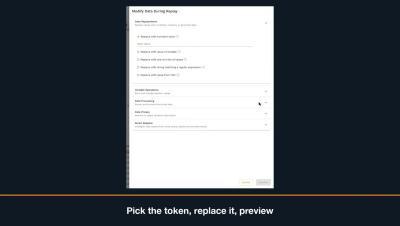
Learn how to resolve failed GraphQL session queries by updating expired tokens before replaying your snapshot. This video demonstrates how to find the GraphQL operation, edit variable values by path, and successfully pass replay checks. Learn more: speedscale.com.
Feature Spotlight: Import & Export to Load Testing Tools #api #postman #openapi #loadtesting #devops

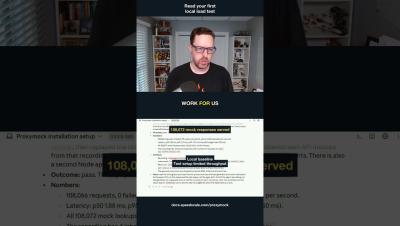
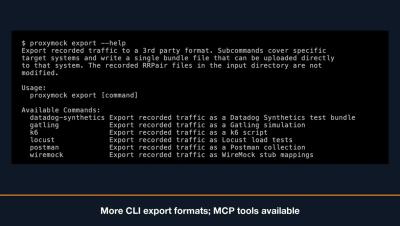
Proxymock allows you to import existing Postman collections, browser HAR files, and OpenAPI specifications to instantly create test requests and mock responses. You can also pull traffic directly from cloud storage buckets, or export your requests into load testing scripts for tools like K6, Gatling, and Locust. Coding agents can even manage these imports and exports using integrated MCP tools. Learn more: speedscale.com.

Feature Spotlight: Session-based Replay #trafficanalysis #api #developertools #techtutorial

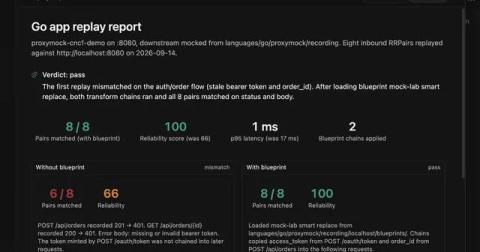
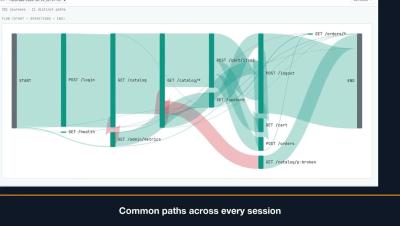
This video provides an overview of using Sessions to group traffic by actor credentials, track individual user journeys chronologically, and analyze request flows. It also covers how to check replay readiness for JWT sessions, replay recorded user journeys at their original pace, verify pass/fail counts, and save or sample specific sessions for easy sharing. Learn more: speedscale.com.

Feature Spotlight: Automatic Testing with Proxymock MCP Skills #aiagents #mcpserver #softwaretesting

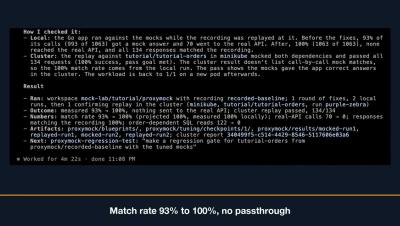
Learn how to integrate your AI coding agent with Speedscale using the MCP server to record, replay, tune mocks, and analyze reports directly within your workspace. Streamline your testing workflow by letting your agent automatically capture traffic, resolve failing responses, and optimize match rates. Learn more: speedscale.com.

Feature Spotlight: Replay Progress Tracking #kubernetes #mocktest #devops #appperformance

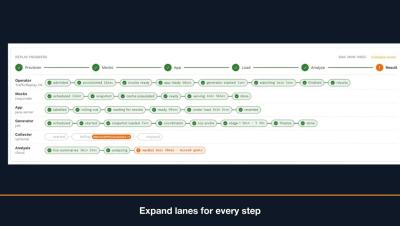
Learn how to track cluster performance in real time using the replay progress panel, which highlights key phases including provision, mock, app, load, analyze, and result. You will also discover how to easily troubleshoot failed runs by expanding component lanes to review specific step reasons and cluster events. Learn more: speedscale.com.

Load Test One Endpoint, Watch the Rest

What happens to transaction posting when statement traffic gets expensive? That’s the question a bank’s platform team actually needs answered before a busy month-end. It’s also a question most load tests can’t ask, because they turn one dial for the whole recording. Statements get heavier, posting gets heavier, and the average latency across both looks fine right up until customers can’t move money.
Sponsored Post

Use AI and traffic replay to test AI-generated code

When I ask an AI agent to change code, I also want it to run the application and test what it changed. Asking it to write some tests is a start. But if it invents the expected responses from the same assumptions it used to write the code, those tests can miss the same mistake. Traffic replay gives the agent something concrete to test against: requests and responses captured from a working application. The agent can run those requests against its changes, inspect the differences, and repeat the test after a fix. I can open the same results and check its work.

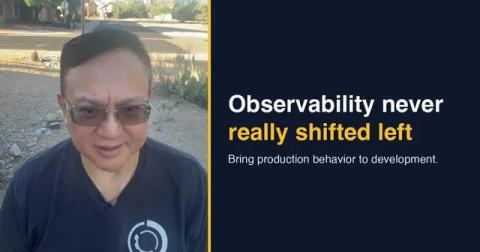
Observability Never Really Shifted Left

We made software development faster. Now we need to make validation faster, too. For the last decade we have shifted development left. Testing, security, performance, and CI/CD all moved closer to the developer. Observability mostly did not. It still starts after deployment (we covered the incident side of this in Your Observability Stack Found the Fire), which means the people writing the code rarely have meaningful production behavior to observe while they build.