Getting Started with Load Testing your Website in the Cloud
Getting Started with Load Testing your Website in the Cloud using LoadFocus.


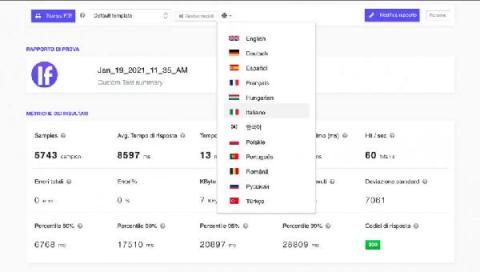
With our newly released White Labelled Reports for performance tests, you can now print the PDF reports in multiple languages. This applies to our load testing cloud tool and also for load tests using JMeter test scripts.
Setting a correct increment strategy for load generation is crucial when you are load testing a website or service. It’s especially important to make sure your website will not be bombarded by a huge number of participants all at once. Choosing correct increment strategy helps you organize your test run flow. You are making sure that participants start exactly how you expect. That can be especially useful for WebRTC service testing.
In order to learn how to test your APIs, especially how to load test your APIs, let’s first find out some essential info on APIs and RESTful APIs.
Performance Testing coverage needs to be defined from the application under tests functional requirements and this does not change regardless of whether you are following an Agile or a more Planned approach.
Standard Deviation is an important metric in performance testing analysis and informs us how stable the application under test is. In other words, it tells us if the requests that occur during the test are consistent or not. Standard Deviation measures how the response times are spread out around the average response time (mean). A small standard deviation means that the response time of all the requests are close to each other.
Load testing is a type of performance testing that simulates a real-world load on any software, application, or website. Without it, your application could fail miserably in real-world conditions. That’s why we build tools like Retrace to help you monitor application performance and fix bugs before your code ever gets to production.
We have set some ambitious targets for 2021 in making Loadero an even better service to help our customers testing web applications easier, write scripts more comfortably and get detailed results reports that can be analyzed quickly for valuable insights about their app’s performance. With the first month of 2021 just ended, we would like to share some recently added improvements to Loadero application.
Python is one of the leading programming languages in the world. Many of the world’s most popular websites run, at least in part, on Python, including Instagram, Google, Instacart, Uber, Netflix, and Spotify. When the language is used properly, it can be very efficient and requires low processing power in most cases. It’s important for sites to rely on python load testing best practices and security testing services by companies like QAwerk to understand how efficiently their site runs.
Automate Load Testing with Jenkins CI/CD Plugin From LoadFocus https://loadfocus.com/.
Install the Jenkins Load Testing plugin from https://plugins.jenkins.io/loadfocus-loadtest/
Load Testing: https://loadfocus.com/load-testing