
Systems | Development | Analytics | API | Testing

How to Install Claude Code on Windows with PowerShell (Step by Step) #Shorts #aicoding #claudecode

How to install Claude Code on Windows using the official PowerShell installer, step by step. Claude Code is Anthropic’s AI coding assistant for the terminal. This tutorial shows how to find the official instructions, run the PowerShell installer, handle the PATH setup note, launch Claude Code and sign in. WHAT YOU NEED You do not need to run PowerShell as Administrator. INSTALLATION STEPS Search “Claude Code terminal” and open the official result from code.claude.com. Find the Windows PowerShell installation command and copy it.

The Future of Software Testing: Why This Conversation Matters Right Now

AI is no longer on the horizon. It is already reshaping how software is built, tested, and released, and it is moving faster than most quality processes were designed to absorb. Developers are shipping AI-written code at speed. Test teams are generating test cases, maintaining suites, and triaging defects with AI. But speed cuts both ways. AI magnifies the process it enters. Strong quality practices can become faster and more scalable.

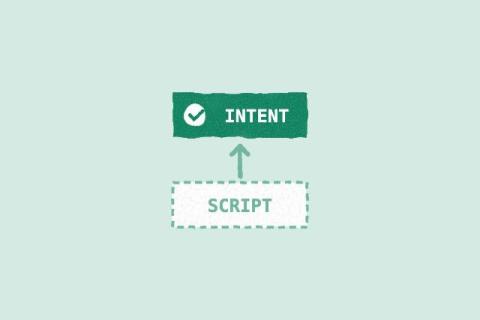
Keep the Intent. Throw Away the Script.

I'll give you the takeaway from this blog right now: the part of a test worth keeping is what it's meant to prove, not the script that proves it. Scripts have become cheap to generate, so we should stop treating them as something precious to maintain. Keep the intent. Throw away the script. Last time I wrote that the first time an AI agent runs a manual test case, it can leave an automated test behind, and every later run can use that script instead of the natural-language steps.

Multi-Factor Authentication in Healthcare: Balancing Security and Clinical Speed

‍ Multi-factor authentication verifies user identity through two or more distinct authentication factor categories. These include something users know, possess, or inherently are, such as biometric characteristics. The multi-factor authentication healthcare organizations deploy protects electronic health records, remote access, and clinical applications. Healthcare authentication must accommodate shared workstations, frequent user changes, and time-sensitive clinical tasks.

Ep 96 | Leaving the Sandbox: AI In the Real World

The AI worked in the sandbox. Then it met the real world. David Hardoon learned that lesson during an ATM optimization project designed to improve cash-delivery routes. Once deployed, the system collided with traffic and unpredictable schedules, which are the realities that face the people doing the work. Recorded at *EVOLVE26* Singapore, this episode of The AI Forecast brings Paul Muller together with David Hardoon, Head of Advanced AI at Accenture, to explore why the human side of AI transformation can determine whether promising technology ever delivers value in production.

How Multi-Region Deployment Changes Load Testing Results

Multi-region deployment fundamentally changes performance expectations and testing priorities. Unlike single-region or multi-AZ setups, distributing workloads across continents introduces higher latency, longer failover times, and asynchronous replication. These realities require a new approach to load testing.

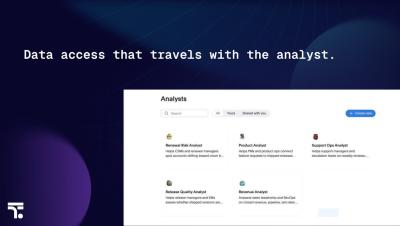
Governed End to End: How Spotter Analysts Control Data Access

Before any data leader deploys an AI analyst, they ask the same question: what can it touch? In this video, see how Spotter Analysts are governed end to end. What you’ll see: → How admins control which certified models a Spotter Analyst can read→ How data access travels with a shared analyst→ How “show work” traces every answer back to its source→ What governed end to end means in a production agentic analytics environment.

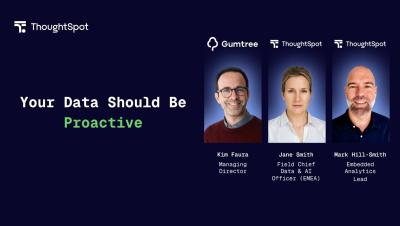
Why B2B Software Is Being Judged by B2C Standards

The bar for B2B software is being set by B2C experiences. In this clip, Kim Faura, former Managing Director at Gumtree, joins ThoughtSpot's Jane Smith and Mark Hill-Smith to talk about what this expectation shift means for product teams, and what it takes to close the gap between what B2B tools deliver today and what users now expect.

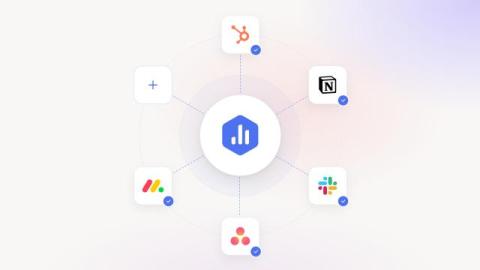
New: Give Your AI Analyst the Context to Explain Performance and Help You Take Action

You open your performance dashboard and notice that your sales pipeline has dropped 15% since last week. You can see the decline, but the numbers alone don’t explain what caused it. Maybe several deals were pushed into next quarter, your team lost a major opportunity, or a campaign generated fewer qualified leads than expected. The answers are likely somewhere in your CRM, project management tool, or conversations your team has been having.