New: Turn conversations with your AI Analyst into a polished report

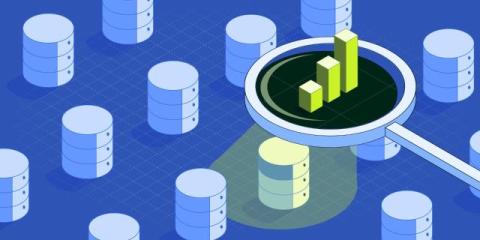
Getting an answer from your data has never been faster. Turning that answer into something you can share still takes hours. Genie, our AI Analyst, made it possible for anyone to answer questions about performance. Ask “Why did conversions drop last month?” or “Which marketing channels drove the most pipeline?” and you’ll get a clear answer in seconds, with the charts to back it up. But some answers are worth more than a reply in a chat.

How to Extract Data from Fiserv Report Files and Write It to Excel

TL;DR: Fiserv platforms generate fixed-width.rpt files where every field sits at an exact character position. Astera ReportMiner maps those positions through a visual template editor, extracts the data, validates it against your business rules, and writes it directly to Excel, CSV, or 200+ other destinations. One template handles every future instance of the same report type, and the full pipeline runs unattended on a schedule.

How ReportMiner Processes Mainframe Reports at Enterprise Scale

Mainframe reports are one of the oldest and most persistent data extraction challenges in enterprise IT. They are generated by COBOL programs, printed by JES2/JES3 spoolers, and exported as fixed-width text files from IBM i Series, z/OS, AS/400, and similar systems. They power critical operations in banking, insurance, government, healthcare, and manufacturing. They also look nothing like the documents that modern AI extraction tools are designed for.

How to Automate Green Bar Report Extraction in Banking

If you work in banking operations, you know what a green bar report is. You probably have a stack of them arriving every morning: end-of-day balancing reports, settlement summaries, general ledger extracts, and transaction logs that run hundreds or thousands of pages. These reports are printed in fixed-width text with alternating green and white bands so someone with a highlighter can trace a number across 132 columns without losing their place.

Qlik Answers and the Automate Agent - Using Inputs - part 4

In this video, Mike Tarallo shows you a simple Qlik Automate workflow with defined inputs, then uses the Automate Agent in Qlik Answers to pass those inputs directly into the automation. This demonstrates how users can move beyond simply asking questions and begin taking action based on their data—all from a conversational experience. You’ll see how Qlik Answers and Qlik Automate work together to turn natural-language requests into real, automated workflows with minimal setup.

10 Best Accounts Payable Automation Software (2026)

Every AP team eventually asks the same question: not whether to automate - as PYMNTS reports, 78% of CFOs now see AI as central to accounts payable - but which platform actually fits their ERP, invoice volume, and team. We compared 10 AI-powered AP automation platforms on capability, integrations, and real user ratings, so you can skip the demo marathon and go straight to a shortlist.

Connect Your SAP & Non-SAP Data to SAP Business Data Cloud for Unified Enterprise Analytics

You’ve invested in SAP Business Data Cloud to unify your analytics. Your SAP data flows into its’s semantic models and Joule. But your Oracle financials, Microsoft Dynamics operations, and Workday HR data still sit isolated—separate analytics tools, separate metrics, separate dashboards. The result is an incomplete picture. Your analytics reflect part of how your business runs, not all of it.

Agentic Data Management: What It Is and Which Tools Deliver It

Data engineering teams often spend a substantial portion of their time maintaining pipelines instead of building new data products, particularly as environments become more complex. Many organizations still struggle with stale, inconsistent, or low-quality data, leading to delayed or less reliable decision-making. Traditional data management tools alert you to problems but leave the fixing to human hands.